Smart bulbs for Airbnb properties work when they're Zigbee bulbs on a local hub, four or five per unit in the impression rooms only, with a check-in scene at 40 percent warm white and a check-out scene at full bright, and a small sign on any switch that controls them; Wi-Fi-only bulbs, which is what we started with, generate guest complaints. We manage four Austin apartments as short-term rentals, three in South Congress buildings and one in East Austin near the 6th Street corridor, and after 18 months of continuous guest rotation and a lot of burned-out, disconnected and guest-confused bulbs, this is what we actually use and why: the Wi-Fi bulb problem, the router-reset problem, the power-on default, the switch to Zigbee and a local hub, the failure count across 96 bulbs, the two automations that changed our reviews, bulb placement and where we don't use them, the switch signs, the hub itself, the fixtures that hold the bulbs, guest-proofing, the cost per unit, what happens when the internet goes down, the mistakes, and what we'd tell another host.
The Problem With Wi-Fi-Only Bulbs
Our first smart bulb installation was a popular Wi-Fi brand. They looked great in the listing photos because we could set them to warm amber before the photoshoot. The problem: every time a guest switched a physical wall switch off and then back on, the bulb reverted to full bright white, its power-on default, and guests complained about lights being "stuck on bright" at 11 p.m. Worse, whenever the building Wi-Fi router reset during turnover, which happens at least once a week in a managed building, some bulbs would lose their network connection entirely and stop responding. We spent the first three months troubleshooting guest complaints about lights, not about the units, about the lights specifically.
The Power-On Default
A smart bulb has to decide what to do when power returns after a switch has cut it, and the cheap Wi-Fi bulbs we started with defaulted to full bright white every time; a guest who flicks the bedroom switch out of habit gets a hospital at midnight, and the app is on our phone, not theirs. Some Wi-Fi bulbs let you change this setting; ours didn't, and even the ones that do lose the setting after a firmware update. In a rental, the power-on behaviour is the single most important setting a bulb has, and it's the one nobody checks in the shop.
The Switch to Zigbee and a Local Hub
Month four, we switched to Zigbee-protocol bulbs paired with a local Zigbee hub installed in each unit. Zigbee does not require the internet to function; the hub talks to the bulbs directly over its own mesh network, so when the building router resets, the lights keep working, and when a guest power-cycles a switch, the bulb comes back to its last state, not a factory default. The hub is a small box on a shelf in each unit's closet, plugged into the router for the app and scenes but not dependent on it for the bulbs to work, and it's the $60 per unit that ended the complaints.
The Failure Count
Eighteen months in, we have had two bulb failures across 96 bulbs in four units, both early failures within the first month, likely shipping damage, and both replaced under warranty. Zero cloud-connectivity failures after the initial Wi-Fi-bulb period. For comparison, the Wi-Fi period produced eleven support messages from guests about lights in three months across the same four units; the Zigbee period has produced one, from a guest who wanted to know how to make the bedroom purple, which we took as a compliment.
The Check-In Scene
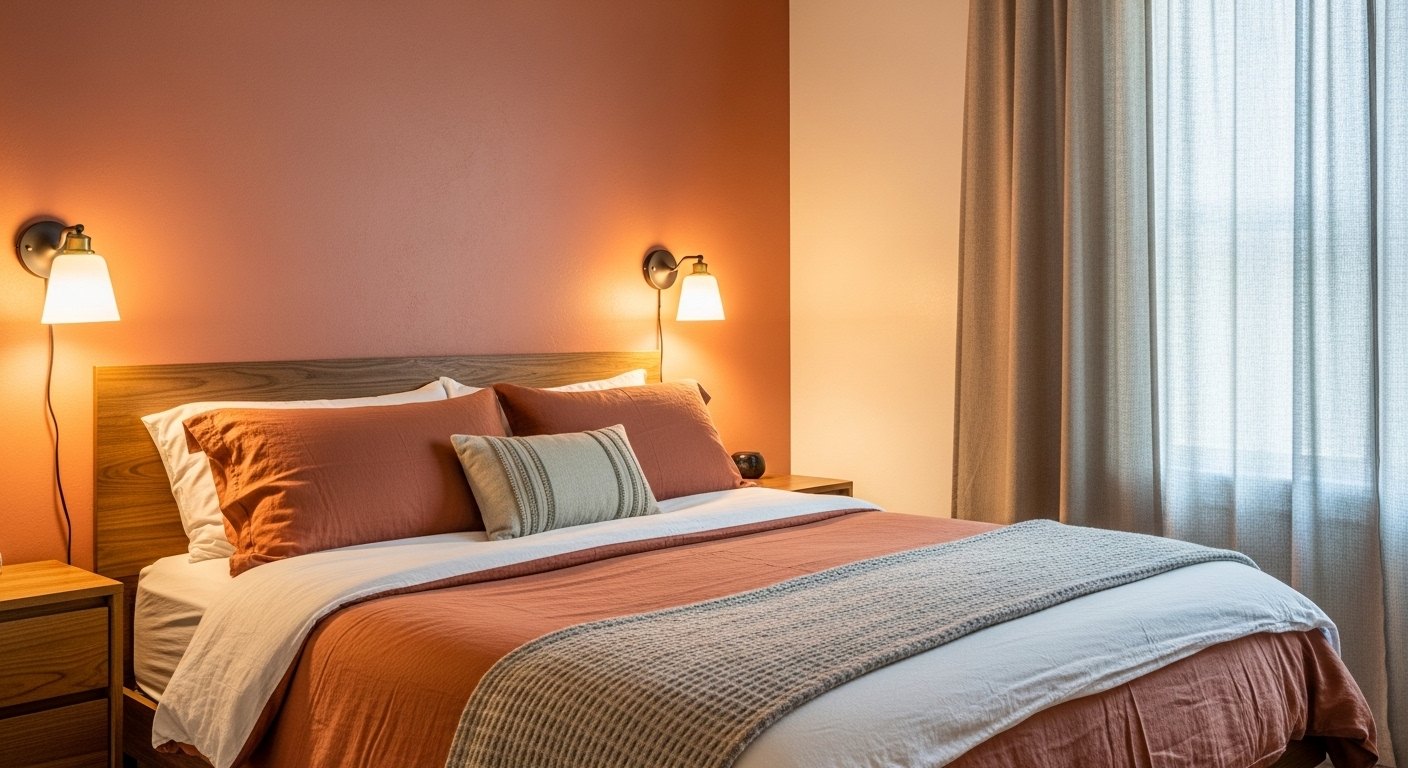
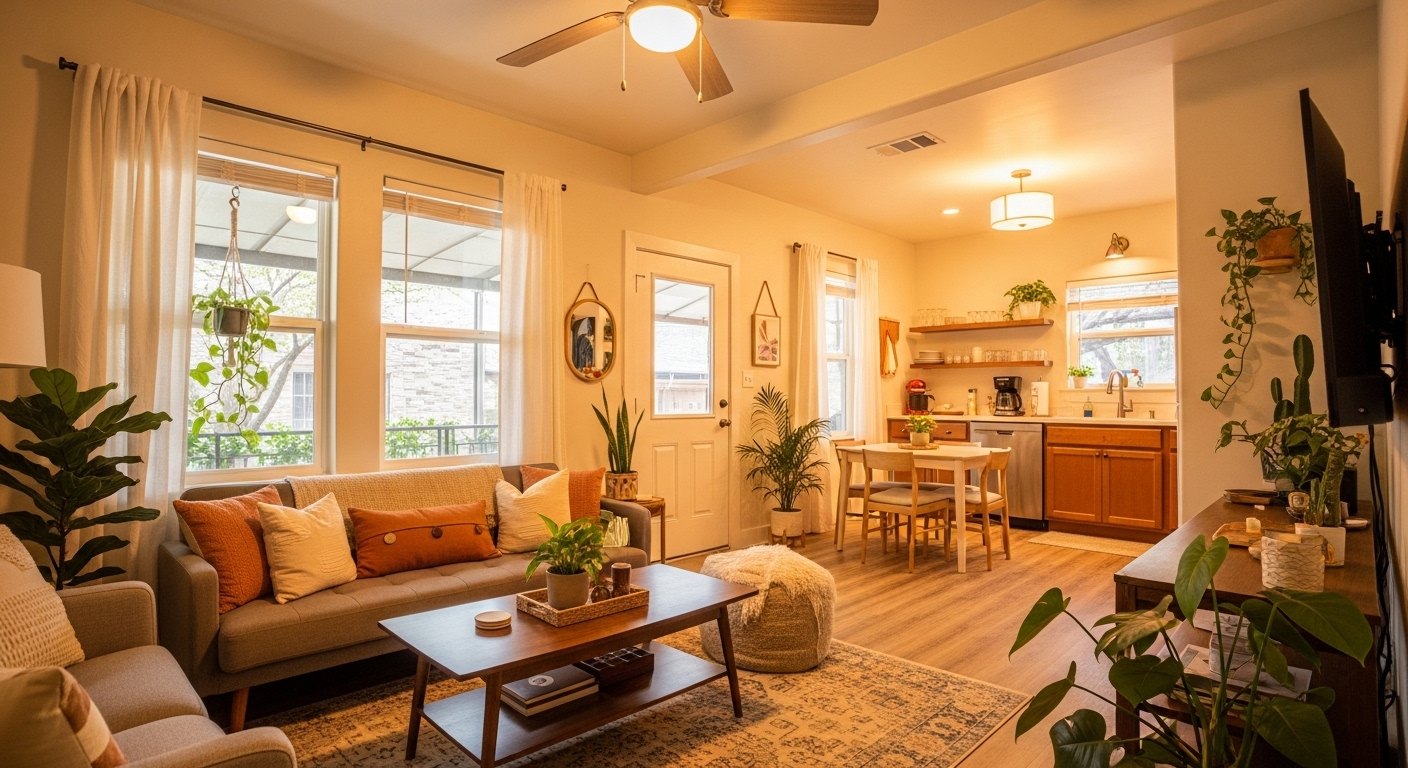
All living room and bedroom lights at 40 percent warm white, 2700K, bathroom at 60 percent neutral white, 3500K; this scene triggers one hour before each check-in booking window opens, pulled from the calendar, so guests arrive to a lit, welcoming space without touching a switch. It's the first thing a guest experiences and it's mentioned in reviews unprompted: "the lighting felt so welcoming when we arrived." Worth every hour of setup, and the listing-photo lighting post is the same warm setting for the camera.
The Check-Out Scene
Lights set to 100 percent bright white at check-out time, every room, which makes it impossible for a cleaning team to miss anything: a hair on a white tile, a smudge on a mirror, a crumb under a sofa. It runs at 11 a.m. and stays until the cleaners set the unit back to the check-in scene from a button by the door. Two automations, one for the guest and one for the cleaner, and the turnover post is where the second one earns its keep.
Bulb Placement Strategy
We do not put smart bulbs in every socket. We use them in the living room main overhead, one or two bulbs; the bedroom bedside lamps or sconces, two bulbs; and the entry or foyer fixture, one bulb. That's four to five smart bulbs per unit controlling the impression spaces. Bathrooms, kitchens and closets use standard dimmable LEDs on conventional dimmers, because those are functional rooms where a guest wants a switch that does the obvious thing. The guest experience is smooth because the impression spaces are automated and the functional spaces are simple.
Where We Don't Use Them
Bathrooms, because a guest at 3 a.m. wants a switch and not a scene; kitchens, because task light should be on a dimmer and not an app; closets and hallways, because nobody's impression of a rental is formed in a closet; and outdoor fixtures, which are on photocells. A smart bulb in a functional room is a support ticket waiting to happen, and the four or five in the impression rooms are enough to make the whole unit feel automated.
The Switch Signs
A small laminated sign on any wall switch that controls a smart bulb, "please leave on, use the lamp button or the app," in the same font as the welcome card, at eye level beside the switch. It's the lowest-tech part of the system and the one that cut the remaining confusion to zero; a guest who's told not to touch a switch doesn't, and a guest who isn't told turns it off at bedtime and finds a dark room with no working switch at 6 a.m.
The Hub Itself
One Zigbee hub per unit, on a shelf in the closet with a label, plugged into power and the router; it holds the scenes locally, so the check-in and check-out automations run even if the internet is down, and it reports to our phones when it's up. Four hubs, four units, one app with four homes in it, and a hub that's rebooted twice in 18 months, both times by a cleaner unplugging it to charge a vacuum, which is why it now has a label and its own outlet.
The Fixtures That Hold the Bulbs
A smart bulb is only as good as the fixture it's in, and a bedroom sconce with a smart bulb is a bedroom that lights itself before a guest arrives. For the actual fixture hardware in our units we've used BO-HA's pendant collection in three of the four apartments and their plug-in sconces in every bedroom; the quality is consistent enough that we can order multiples without variation concerns, which matters when you're fitting four identical units, and the sconces take a standard E26 smart bulb. The no-rewiring lighting post covers the mounting.
Guest-Proofing
Bulbs in fixtures guests can't easily unscrew, sconces at 60 inches and overheads rather than table lamps; a lamp with a smart bulb is a lamp whose bulb goes home in a suitcase, and we lost three that way in the Wi-Fi period. Scenes locked so a guest can dim and colour but not delete. The app never on a guest's phone; if a guest wants colour, the sconce's own button cycles three presets. Simple for the guest, controlled by us, and nothing a guest can do that a check-out scene doesn't reset.
The Cost Per Unit
Five Zigbee bulbs at about $18 each, $90. The hub, $60. Two plug-in sconces, $110, and an entry pendant, $90. Signs and labels, $10. About $360 per unit for lighting that arrives lit and resets itself, against the $220 of Wi-Fi bulbs we threw away and the three months of messages they generated. Across four units, $1,440, and the review mentions have paid it back in a way we can't count but can see.
When the Internet Goes Down
The lights keep working: the switches on the sconces work, the hub's scenes run on their schedule from the hub's own clock, and a guest who never opens the app never knows. What stops is our remote view and any change we'd make from the phone, which can wait until the router's back. That's the whole reason for Zigbee over Wi-Fi in a building we don't control the router of, and it's the difference between a lighting system and a lighting problem.
What We'd Do Differently
Zigbee from day one, and skip the three months. A hub with a battery backup, which we're testing in one unit. Signs on the switches from the first guest, not the twentieth. And smart bulbs in the sconces before the overheads, because the bedside is where the check-in scene does its work and the overhead is where a guest wants a plain switch.
The Bathroom Exception, Explained
The one place we tried a smart bulb in a functional room was a bathroom vanity in unit 2, so the check-in scene could set it to 60 percent neutral; a guest turned the switch off at bedtime, the bulb was dark at 6 a.m., and the message arrived at 6:05. It went back to a conventional dimmable LED on a dimmer switch the same week, and the bathroom's warm 3500K is now the dimmer's setting and not a scene's. Functional rooms get switches; the lesson cost one message and it's held.
Colour, and Whether Guests Want It
Almost never. The bulbs can do sixteen million colours and the check-in scene is warm white; one guest in eighteen months asked for purple, two have found the preset button on the sconce and left it on amber, and nobody has left a review about colour. We buy the colour-capable bulbs because the warm-white quality is better on them and the price gap is small, and we use them as very good warm-white bulbs that happen to be able to do more. A rental's smart lighting is about arriving to a lit room, not about a disco.
Scaling to More Units
Four units is four hubs and one app; a fifth is a fifth hub and the same app, and the scenes copy across in ten minutes. The system scales by adding a box per unit, and the only thing that doesn't scale is the switch signs, which are printed per unit in the unit's font. If we manage ten, it'll be ten hubs, and the Wi-Fi alternative would have been ten routers we don't control.
Mistakes
Wi-Fi bulbs, three months, eleven messages. Smart bulbs in table lamps, three lost. No switch signs for twenty guests. The hub on a shared outlet, unplugged twice. And a check-in scene at 60 percent the first month, which read as bright in the photos and was dropped to 40 on the first review that said "a little bright."
What We Would Tell Another Host
Start with four or five bulbs in the right rooms, not whole-unit automation. Choose Zigbee over Wi-Fi. Add a local hub. Set check-in and check-out scenes. Put small signs on any switch that controls a smart bulb. Put the bulbs in fixtures a guest can't take home. Your reviews will improve within the first month, and your inbox will go quiet about lights, which is the review that matters most to a host.
Shop the fixtures: plug-in wall sconces and pendant lights that take a standard smart bulb, ordered in multiples for identical units